


$0
Off


Lepro 51 LED UV Light Torch, 395nm Ultraviolet Flashlight, Blacklight Detector for Pet Urine, Stain, Bed Bugs, Banknote and More
Lepro 51 LED UV Light Torch, 395nm Ultraviolet Flashlight, Blacklight Detector for Pet Urine, Stain, Bed Bugs, Banknote and More
£12.99
Save6% with Bulk Orders (10+ pcs), Discount applied automatically at checkout.
Couldn't load pickup availability
Key Features
- Find Invisible Stains - Lepro UV light torch emits 395nm wavelength, easily spots animals' urine stains on carpet or clothes, like cat or mouse, and invisible food stains on floor or table. Time to get it and clean up the house.
- Detect Larger Area with More Brightness - Our 51 UV LED torch lights are 40% brighter than other UV flashlights. It covers larger areas without weakening the light, saves your time to hunt for stains. Don't need to clean the entire carpet anymore.
- Practical Use - UV torch can not only help you check a fake banknote, driver license, security markings on various high value items, but can also be used to check for scorpions, bed bugs and cured resin.
- Durable & User-friendly - Our black light torch is made of high quality aluminum alloy, scratch and fade resistant, very sturdy and well-built. Anti-slip texture design, humanized lanyard, more convenient to carry.
- Easy to Operate & IPX4 Rating - With only one push-button on black light torch, simple and easy to use. Rated to IPX4, so it is waterproof and moisture resistant, convenient at outdoor.
Show More
Free Shipping on Orders Over £25
Enjoy free shipping on all orders over £25. For orders under £25, a small £3.9 shipping fee applies — still a great deal!
1–3 Business Days Delivery
95% of UK mainland orders arrive within 1 business day, with the rest delivered within 1–3 business days.
30-Day Money-Back Guarantee
Love it or your money back! Try your purchase risk-free for 30 days — no questions asked.
Hassle-Free Warranty (1–5 Years)
Enjoy peace of mind with 1–5 years of warranty coverage (varies by product). If anything goes wrong, just email cs@lepro.co.uk — we’ll make it right.Note: This limited warranty does not affect your statutory rights under local law.
Lifetime Customer Support
We’re here for the long run. Contact our friendly support team anytime at cs@lepro.co.uk — your satisfaction is our forever promise.
Payment Methods


In Stock: 1-3 Days Delivery
£12.99
See It In Action
Specs
LIGHT & PERFORMANCE
SKU
110018
Bulb Base
GX5.3
Bulb Shape Size
T6 1/2
Light Source Type
UV
White Brightness
50 Lumens
Number of Lights
51
Water Resistance Level
Waterproof
Mounting Type
Handheld
Additional Features
High Power; Increased Brightness; Runtime 20 hours
BATTERY & POWER INFO
Power Source
Battery Powered
Power and Plug Description
Battery Powered
Wattage
3 watts
Voltage
4.5 Volts
Battery Type
Alkaline
Battery Description
AA batteries
Number of Batteries
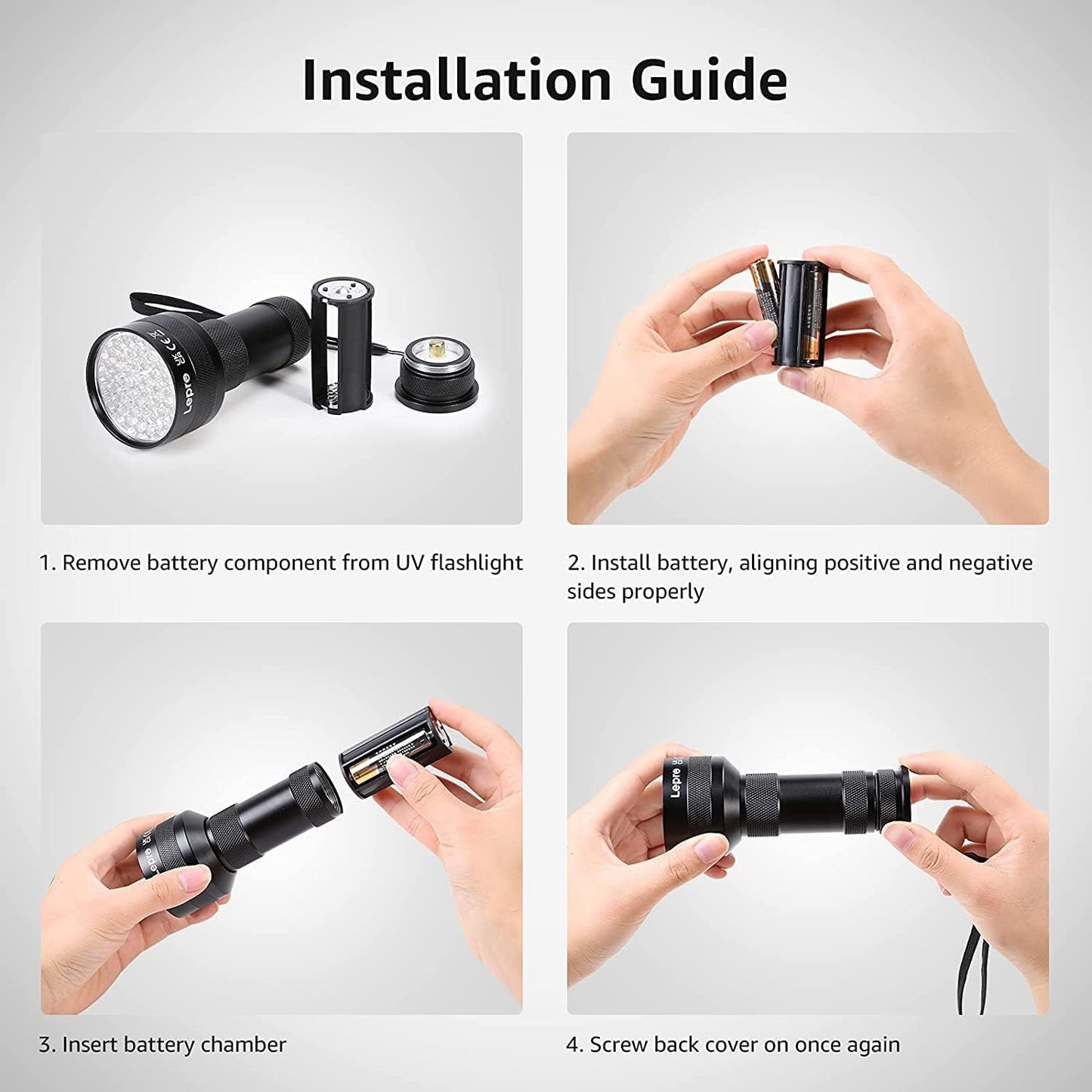
3 AA batteries required.
Batteries are Included
No
DIMENSIONS & WEIGHT
Item Dimensions D x W x H
6.5D x 6.5W x 13.5H centimetres
Item Weight
0.15 Kilograms
Size
Small