


Lepro STV1 AI Smart TV Backlight, WiFi TV LED Backlight Strip with Fish-Eye Correction Function for TVs, Voice and APP Control TV Light,Led Light TV with Camera
Lepro STV1 AI Smart TV Backlight, WiFi TV LED Backlight Strip with Fish-Eye Correction Function for TVs, Voice and APP Control TV Light,Led Light TV with Camera
Save6% with Bulk Orders (10+ pcs), Discount applied automatically at checkout.
Couldn't load pickup availability
-
LightIMS™ Instant Sync: Powered by a high-performance chip and Lepro’s exclusive LightIMS™ tech. Lepro TV backlight outperforms competitors with 36% faster response.
-
True-to-Screen Color: AI-Powered Pixel-Perfect true gradient RGB TV LED backlight strip! Color-accurate Addressable RGB LEDS with Lepro Lens Correction and exclusive algorithms deliver pixel-perfect synchronization, LED lights for TV bringing movies and games to life with a richer, more immersive glow.
- Fast Setup, Easier to Place: A clever 2-in-1 integrated design combines the camera + controller. Fewer boxes, fewer cables to manage. The ultra-wide lens (FOV > 180°) makes placement less finicky.
-
LightGPM™ 4 Sports-Night Scenes: AI-Match team colors, feel the game. Create scenes from text, voice, or image prompts. Instantly bring up your team colors for a more immersive sports watch.
-
LightBeats™ Music Sync: Sound-Driven Rhythm. No harsh flash. Patented loudness algorithm delivers smooth, wave-like rhythm lighting with no harsh flashing.
-
Seamless Sync for All Content: Lepro TV backlight can Intelligent real-time color matching for movies, gaming, and sports, no matter the source.
-
Smart Control TV LED Lights: No need to move, just say the word to sync your lights for the ultimate immersive TV experience. Smart control at your fingertips or via voice.


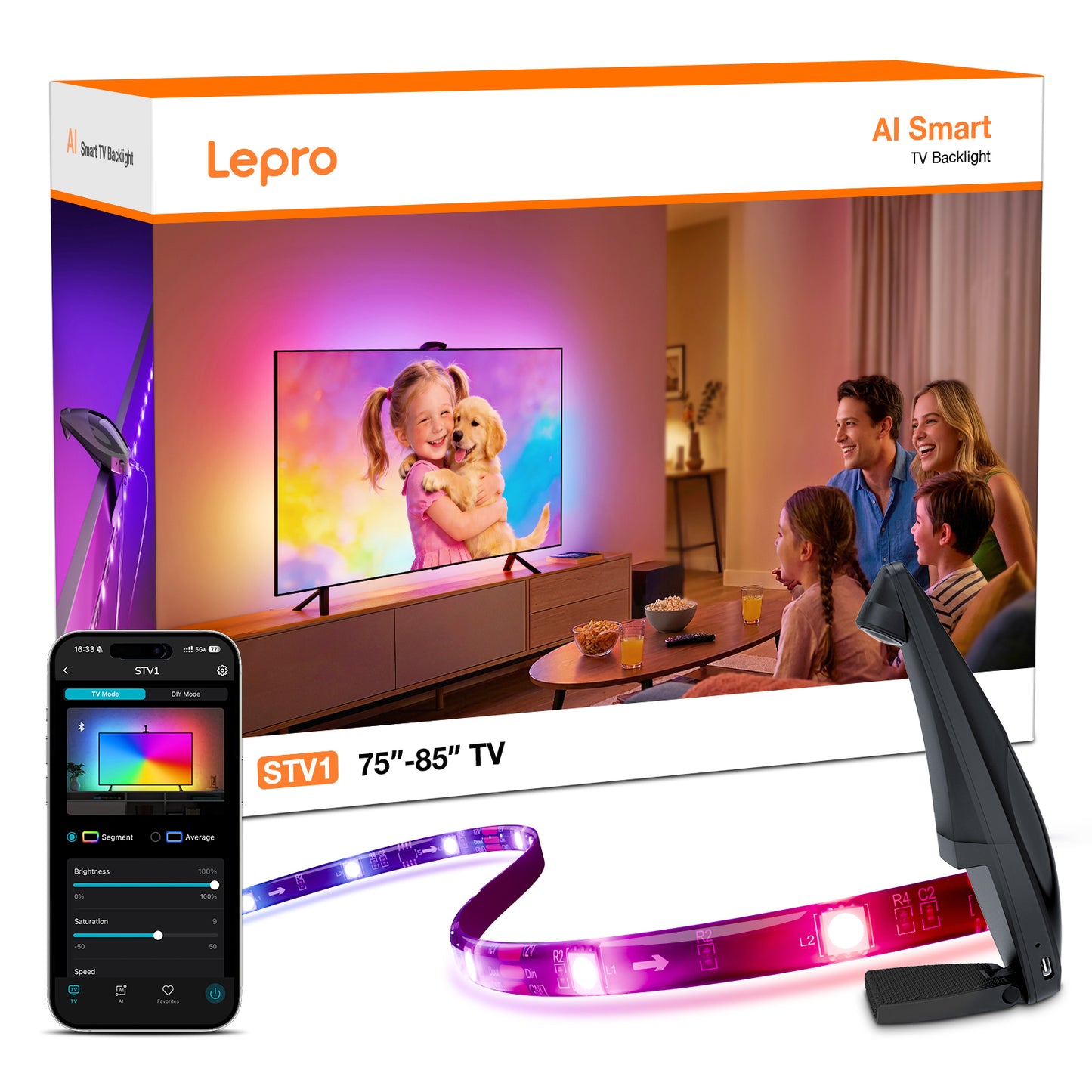

STV1 AI Smart TV Backlight
Screens Extend, Realities Blend.


Why Choose Lepro STV1?

Lights That Move at the Speed of Sight.
Powered by Lepro high-performance chip, high-Speed Intelligent Sync Sensor and LightIMS™ tech.

See the Difference, Feel the Glow
Sync. Create. Groove. One Light, Infinite Scenes.


Al-Powered Pixel-Perfect.
True Gradient RGBGet pixel-perfect, immersive lightingwith Lepro Lens Correction andexclusive algorithms.
Al-Match Team Colors.
Feel the GameCreate scenes from text, voice, or image prompts. Instantly bring up your team colors for a moreimmersive sports watch.
Sound-Driven Rhythm. No Harsh Flash.
Patented loudness algorithm delivers smooth, wavelike rhythm lighting with no harsh flashing.
Al-Powered Pixel-Perfect.
True Gradient RGBGet pixel-perfect, immersive lightingwith Lepro Lens Correction andexclusive algorithms.
Al-Match Team Colors.
Feel the GameCreate scenes from text, voice, or image prompts. Instantly bring up your team colors for a moreimmersive sports watch.
Sound-Driven Rhythm. No Harsh Flash.
Patented loudness algorithm delivers smooth, wavelike rhythm lighting with no harsh flashing.

Smart Voice Control
The Light That Gathers Us


Family Movie Night
Sports-Night Scenes
Anime Immersion
Holiday Decor
Family Movie Night
Sports-Night Scenes
Anime Immersion
Holiday Decor

How-to Guides

What's in the Box


STV1-3
STV1-5
STV1-3
STV1-5

Specs
FAQs
Will this fit my TV? Can I cut the light strip if it’s too long?
Please note: Cutting the light strip is NOT supported and will permanently damage the product. To deliver flawless edge-to-edge lighting coverage and real-time color syncing, the circuitry must remain intact. If you have a little extra length at the end, do not cut it! You can easily loop the excess at the corners to keep your setup clean and bright (check out our quick installation guide video below!).
Does it work if my TV is mounted flat against the wall?
• For TV on a Stand or Full-Motion (Articulating) Mount: We recommend an ideal distance of 6 inches (15 cm) from the wall. This allows the backlight to diffuse perfectly, creating the most seamless and immersive halo effect.
• For Fixed/Flat Wall Mounts (TV sits very close to the wall): It still works great! However, because the light has less space to spread out, it may appear much brighter. To compensate for this and ensure a smooth blend of colors without harsh glares, simply lower the brightness setting slightly in our App to achieve the perfect ambient glow.
Does the camera work with ultra-thin OLED TVs or curved TVs?
My current TV is 65", but I plan to upgrade to a 75" in the future. Can I just buy the larger size (75"-85") now for my 65" TV? Or, if I buy the 55"-65" version now, can I transfer it to my new 75" TV later?
1. Why you shouldn't buy the larger size now:
• Physical Mismatch & Overheating Risk: The larger strip is physically too long for a 65" TV. If you try to loop or bunch up the excess length, the LEDs will overlap. This creates uneven, awkward bright spots and poses a potential overheating risk.
• Color Sync Mismatch: Our camera-sync technology maps colors based on precise proportions. If the strip is too long, the colors won't align with what's on your screen. For example, a color that belongs on the side of your TV might bleed onto the top, ruining the immersive viewing experience for you and your guests.
2. Why you can't reuse the smaller size on a bigger TV later:
• It Simply Won't Reach: The STV1-3 strip is exactly 3.6 meters long. When you upgrade to a 75" TV, the strip will be physically too short to wrap around all four sides. It will leave massive dark gaps, completely ruining the ambient glow effect.
Can I plug it into my TV's USB port?
Is it hard to bend around TV corners? Will the tape fall off?
What is this system [hardware & software] and how does it affect the colors the television emits?
• The Hardware: The system consists of a light strip attached to the back of your TV (facing the wall), a small control box, and a camera that mounts on top of your TV looking down at the screen.
• How it Works: The camera acts as an optical sensor. It reads the colors currently on your TV screen in real-time. The software then tells the light strip on the back to project those identical colors onto the wall behind the TV.
• The Result: It creates a beautiful, dynamic "halo" of ambient light on the wall that expands the visual experience for anyone watching the TV in the room.
Does it sync with built-in TV apps like Netflix, Disney+, and gaming consoles?
Can it show multiple colors at once, or just one?
Will the camera record or store my personal videos or private data?
• Zero Video or Audio Tracking: The camera does not record, store, or transmit any video footage, TV show content, or audio to the cloud.
• Local, Real-Time Processing: All image processing required for color matching happens instantly and locally on the device itself. The only data our system recognizes consists of basic lighting parameters, such as color hues and brightness values.
• 100% User-Controlled Image Upload Checkbox (Disabled by Default): By default, no images are ever uploaded. Inside the app settings, you will find a dedicated checkbox that reads: "Upload image to help improve our feature (Your Data will remain strictly confidential)." Unless you explicitly and voluntarily check this box to help us optimize our color-syncing algorithm, we will never upload any images. If—and only if—you choose to opt-in, the system will securely upload a single static image captured during the screen calibration process. This data is strictly encrypted and 100% confidential.
Can I mount the camera at the bottom of the TV instead of the top?
How do I handle the corners of the TV during installation without breaking the strip?
Does it work with Alexa and Google Assistant?
Does the device support Wi-Fi or Bluetooth? How do I connect it?
• Bluetooth (Required): Bluetooth is mandatory for the initial pairing process and standard local control through the app.
• 2.4GHz Wi-Fi (Optional, but Recommended): While you can run the lights using just Bluetooth, we recommend connecting to a 2.4GHz Wi-Fi network. Firmware updates require downloading installation packages, and Wi-Fi ensures a smoother, more efficient upgrade process. Downloading these packages over Bluetooth alone can be a bit slower and take longer to complete. Plus, Wi-Fi enables remote out-of-home control!
💡 Quick Tip: The device is not compatible with 5GHz Wi-Fi. If you use a dual-band router (combining 2.4GHz and 5GHz), please ensure your smartphone is connected to the 2.4GHz band during the initial setup phase.